

Still spending hours every week compiling your progress report, sorting through incoming requests, or answering the same questions in Slack? What if someone could handle all of that for you, automatically, while you focus on what truly matters?
You might already know the Notion Agent: it’s your personal AI assistant, available in the chat to act on your requests. But Notion just took a major step forward. With the launch of Custom Agents in public beta, you can now create true autonomous AI teammates that work in the background, without you having to lift a finger.
Let’s walk through it together: what it is, what it actually changes, and how to get started.
Notion Agent vs Custom Agent: what’s the difference?
Before diving in, let’s clarify an important point. Notion now offers two types of AI agents, and they work in completely different ways:
The Notion Agent (which you may already know) is your personal assistant. You talk to it in the chat, it acts on your request, using your permissions. It’s one-shot: you ask, it does.

A Custom Agent is an autonomous AI teammate. You configure it once — instructions, triggers, access — and it runs on its own in the background. No need to prompt it every time.
The simplest analogy? It’s like having a colleague dedicated to a specific task, who never sleeps and repeats it flawlessly, day after day.
Custom Agents are available on Business and Enterprise plans (including Business trials).
What Custom Agents can do
Triggers for every situation
The real power of Custom Agents is that they launch on their own when the right conditions are met:
- Recurring schedules: every day, week, or month, at the time and timezone of your choice
- Notion events: page created, updated, or removed from a database, comment added, or @mention of the agent in a page
- Slack events: message posted, emoji reaction added, thread started, or agent mentioned in a public channel
- Notion Mail: email received, specific sender, or label applied
- Notion Calendar: event created, updated, canceled, or about to start
- MCP connections: partner integrations like Linear, GitHub, Figma, and more

Concrete actions
Once triggered, your agent can:
- Read your pages, databases, and certain connected apps (Slack, Mail, Calendar)
- Create and edit pages, update properties in your databases
- Post messages in Slack or send emails
- Produce reports, sort tasks, answer recurring questions
Security and transparency
Don’t worry: a Custom Agent doesn’t have access to your entire workspace by default. You choose exactly which pages, databases, and channels it can access. Every run is logged in an activity feed, and you can roll back changes using version history.
You can also choose the AI model used (Claude, GPT, Gemini, or Auto to let Notion pick the best one for each task).
3 types of agents you should know about
Notion offers templates for the most common use cases. Here are the three main ones:
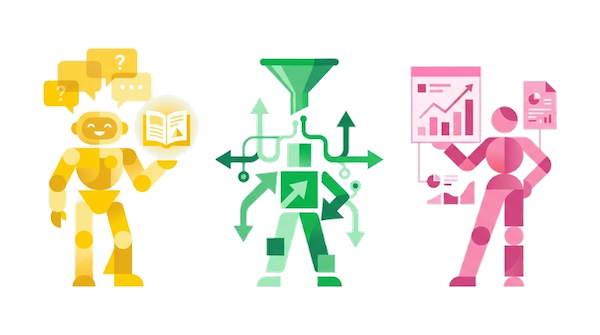
Q&A Agent
It automatically answers recurring questions by pulling from your Notion documentation and Slack channels.
Real-world examples:
- An internal FAQ for new hires that answers HR, IT, and logistics questions
- An agent that gives consistent answers about pricing, product, or roadmap to your sales team
- An agent that answers recurring questions about a project based on the specs and meeting notes
Task Routing Agent
It captures, triages, and assigns incoming tasks automatically, with no human intervention.
Real-world examples:
- A 🐛 emoji in Slack → a ticket is created, prioritized, and assigned to the right team
- Client requests are routed to the right specialist based on the issue type
- Marketing requests are sorted by priority and channel, then assigned directly
Status Update Agent
It compiles and writes recurring reports on your behalf, at whatever frequency you choose.
Real-world examples:
- A weekly sprint report compiled every Monday from your databases and Slack
- A sales pipeline summary showing deal status, movements, and next steps
- A monthly recap that compiles progress across all your current projects and highlights blockers
🔧 Build your own!
These three types are just starting points. You can create a Custom Agent for any workflow that repeats. Simply describe what you want in plain language, and Notion AI generates the configuration for you. You can also start from a template or build everything from scratch.
Want to try without starting from scratch? I’ve created two ready-to-use agents you can duplicate and adapt:
- 🪄 Weekly Review Assistant — It guides you through a structured weekly review: wins, blockers, lessons learned, and priorities. Connect your task database and it even generates an automatic KPI dashboard.
- 🪄 Content Planner — Your content strategy ally: brainstorming ideas, publication calendar, detailed outlines, and even writing your content, all tailored to your style and platforms.
How to create your first Custom Agent
Three methods are available:

From a template → Pick a model, adjust the generated instructions and triggers, save.
Through AI chat → Describe what you want in plain language, Notion generates the full config. Fine-tune and save.
From scratch → Write the instructions manually, define triggers, access, and the AI model.
In all cases, you’ll find your agent in the Agents section of the sidebar, with 2 tabs: a main tab to test and iterate, with a log of all runs, and a settings tab for instructions, triggers, access, and model.
My advice: start with a simple agent with a single mission. Iterate from there. To write good instructions, always start with the expected outcome, add context (audience, format, destination), provide an example of a good output, and set guardrails (“If you don’t know, say so”).
Pricing: what you need to know
- From February 24 to May 3, 2026: this is the exploration period. Custom Agents are free on Business and Enterprise plans (including Business trials). It’s the perfect time to test!
- Starting May 4, 2026: agents run on Notion credits, an add-on at $10 for 1,000 monthly credits. Credits are shared across the workspace, reset every month, and don’t roll over.
- Existing AI features (Notion Agent, Meeting Notes, Enterprise Search) remain included at no extra cost on Business and Enterprise plans. Only Custom Agents use credits.
A credit tracking dashboard will be available for admins from launch day, to anticipate and adjust needs.
In a nutshell
Custom Agents are the promise of an AI team that works for you around the clock. Reports, triage, FAQs, database cleanup — everything you used to do manually can now run in the background.
Not everything is perfect yet, but the potential is huge. And the free exploration period until May 3, 2026 is the perfect opportunity to test with no commitment.
Want to get started right away? Try my two ready-to-use agents: the Weekly Review Assistant to reflect on your week, and the Content Planner to organize your content strategy.
To go further:
- Getting started with Notion: the complete guide
- Notion AI Agents: Your Personal Assistant That Does the Work for You
- Notion coaching sessions to set up your optimized system with an AI Agent

0 Comments